
The best way: Send Message on the request
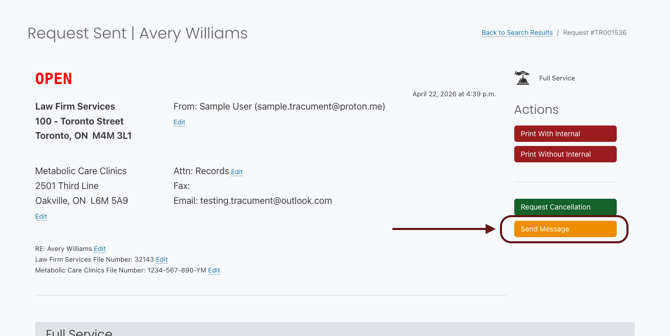
- Open the request.
- Click Send Message.
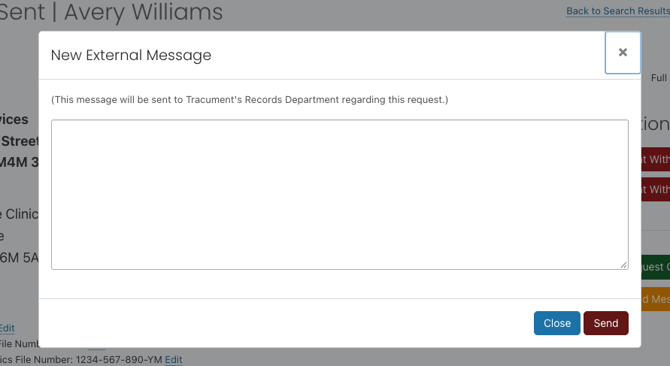
- Write your question or update and send.
- Your message is saved in the request's Events, so the whole history stays in one place and anyone on our team can pick it up.
- We reply within 1 to 2 business days.
Write one clear message
Include everything we need in a single message, for example:
- "Please ask the record holder for records from January 2024 instead of January 2023."
- "The clinic called us and says the fax number is now 555-555-0100."
- "Our client confirms she attended this clinic between 2021 and 2023 under her maiden name, [name]."
Other ways to reach us
- A specific Full Service request: 1st choice: Send Message on the request. Otherwise records@tracument.com or 1-877-979-8722
- How to use Tracument, or something not working: support@tracument.com or 1-888-918-8722
If you email us about a request, always include the TR number.
Before you message us about status
Check the request's Events and reminder timeline first (see “Where is my request? Request statuses explained”). They show every step we have taken and the next scheduled follow-up, often answering the question straight away.
Related articles: “Where is my request? Request statuses explained” · “When we need something from you”