
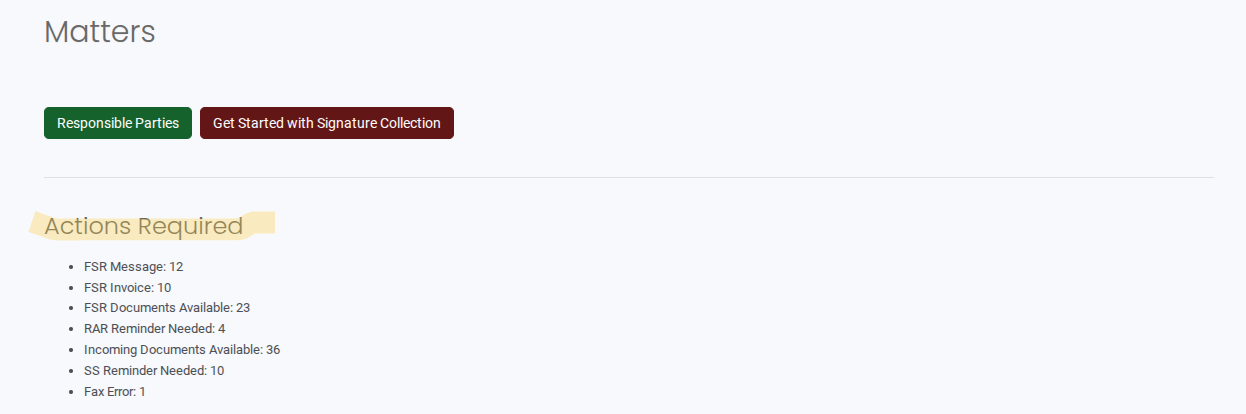
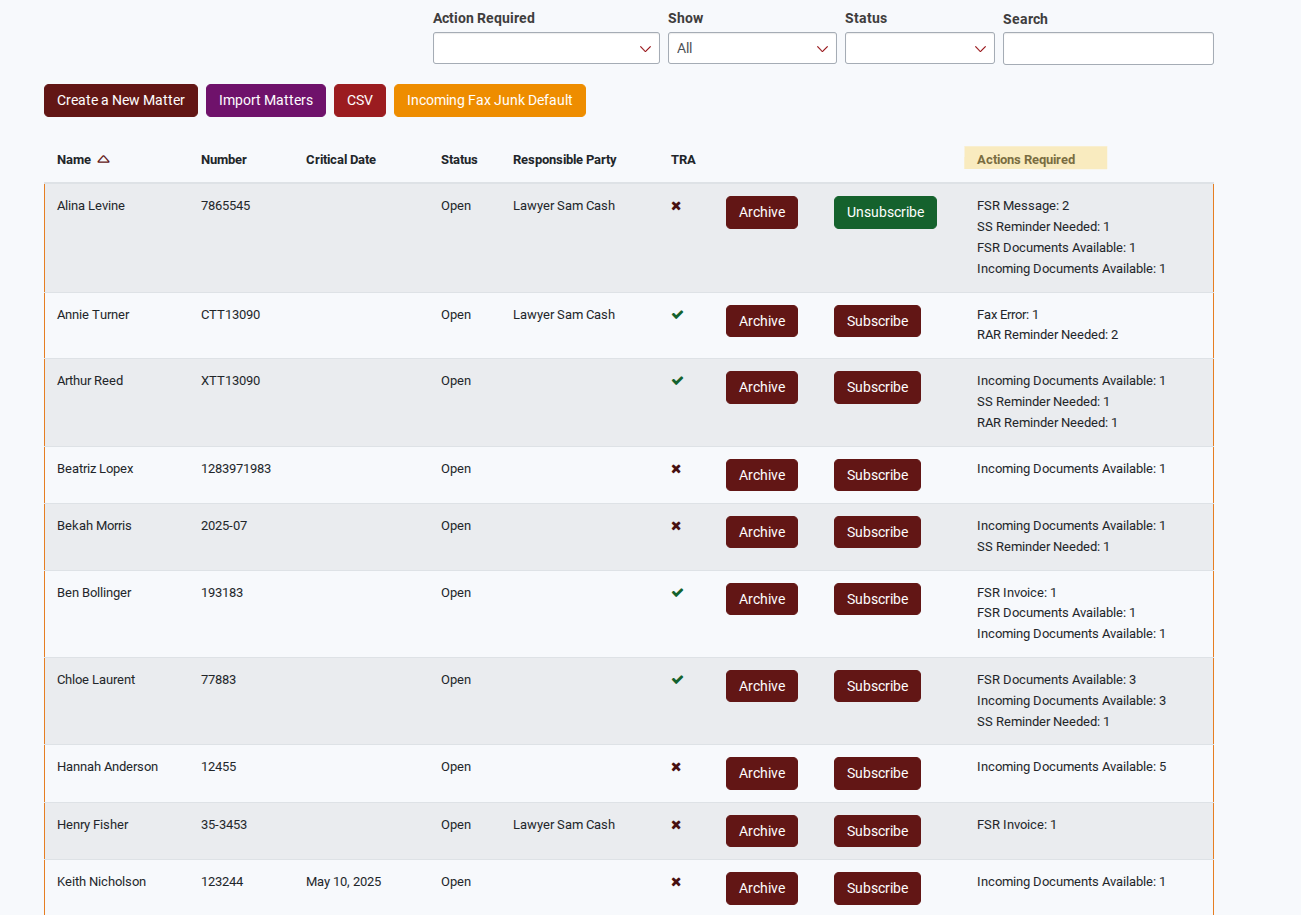
The new layout introduces an Action Required summary, giving you a quick overview of outstanding tasks within each matter. This helps you stay organized, prioritize follow-ups, and ensure nothing is missed.
With this update, you can now quickly see what actions are pending, where they belong, and what needs to be completed next.
✨ What’s New
The updated Matters page now includes:
✅ Action Required Summary showing the total number of pending actions within a matter
✅ Breakdown of actions across different features
✅ New tabs that organize items based on their category
✅ Clear tracking of pending tasks related to requests, documents sent, and incoming documents
This update makes it easier to monitor the status of requests and communications without opening each item individually.
🧭 How the Updated Matters Page Works
Action Required Summary
Each matter now displays an Action Required summary, which shows the total number of actions that need attention within that matter.
You can also see how these actions are distributed across matters in the list, allowing you to quickly identify which matters require follow-up.
Navigating Actions Within a Matter
When you open a matter, you will now see separate tabs that organize pending actions by feature.
Requests
The Requests tab includes items related to:
- Request Automator
- Full Service Requests
Within this tab, you will also see totals related to record requests:
- Total Tracument Fees
- Total Record Costs
- Combined Total
These totals help you track the costs associated with requests in the matter.
Documents Sent
The Documents Sent tab includes actions related to:
- Secure Send
- Paywall
- Paywall Third Party
- Chart Transfer
- Fax
- Mail
This tab helps you monitor documents that have been sent and may require follow-up.
Incoming Docs
The Incoming Docs tab contains files that have been uploaded to items within the matter.
Examples include:
- Files uploaded to a Portal
- Documents received through a Full Service Request
This makes it easier to track documents received from external sources.
Examples of Actions Required
The Action Required section displays tasks that must be completed by the user. The specific action depends on the feature being used.
Some examples include:
Secure Send
- Sending a reminder after 15 days
Request Automator
- Sending a reminder based on the BF Reminder settings configured in the account or set during request creation
Fax
- Resolving fax errors
Full Service
- Downloading records
- Approving invoices
- Viewing delivered messages
These actions ensure requests and communications continue moving forward without delays.
🎯 Why This Update Matters
The updated Matters page helps you:
- Quickly identify which matters need attention
- Track pending actions across different features
- Stay on top of record requests and document activity
- Manage follow-ups more efficiently